
We have built the Casinoly Casino account experience to position security and ease of access at the very centre of every interaction https://casinolycasino.eu/en-ie/login/. When you access our login page, you are not simply typing a username and password; you are moving through a multi-layered security gateway that safeguards your funds, personal data, and gaming history. From the moment you create an account through to each subsequent sign in, our platform utilizes encryption, intelligent monitoring, and optional extra verification to ensure that only you can log into your account. We know that navigating sign-in security can sometimes raise questions, which is why we have developed a clear system that harmonizes solid security with a seamless user path. In the sections that come next, we explain exactly how our registration, verification, login recovery, and continuous security measures work so that you can enjoy games with total peace of mind.
Overseeing Active Sessions and Device Authentication
Every time you sign in Casinoly Casino, our platform generates a secure session that remains active until you explicitly log out or until a period of inactivity initiates an automatic timeout. We offer you direct visibility and control over these active sessions through a dedicated section within your account security settings. This interface displays a list of all devices and browsers currently signed into your account, along with approximate geographic locations based on IP address, session start times, and the last activity timestamp. If you spot a session you do not recognise, such as a login from a location you have never visited or a browser you do not use, you can stop that individual session with a single click, instantly cancelling its access even if the person on the other end is actively using the account.
We suggest reviewing your active sessions regularly, particularly after using shared or public computers, which you should avoid for casino access whenever possible. If you must use a device you do not own, always select the option to log out completely when you finish and never allow the browser to save your password. Our system also enables device authorisation for trusted personal computers and mobile devices, allowing you to designate specific hardware as recognised. When you sign in from a new, unrecognised device, we may prompt you to complete an additional verification step, such as entering a code sent to your registered email address, even if you have not enabled full two-factor authentication. This adaptive security measure introduces friction only when the risk profile of a login attempt differs from your established pattern, keeping routine access smooth while challenging anomalous activity.
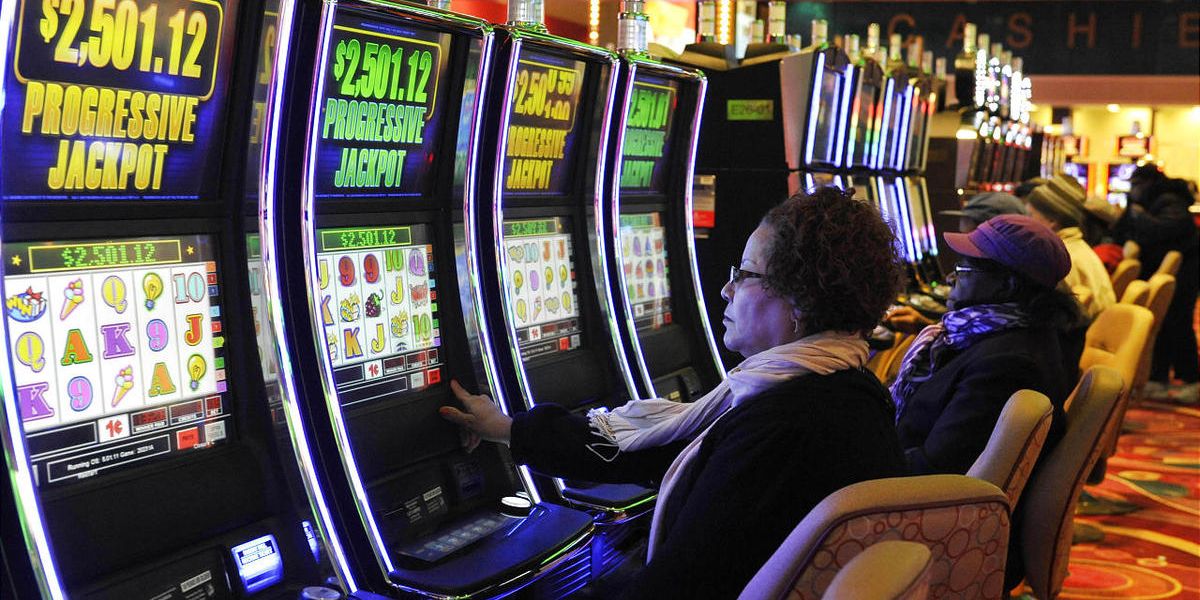
Detecting and Avoiding Phishing and Social engineering threats Threats
A highly effective approach to protect your Casinoly Casino account details is to develop a sharp awareness of phishing tactics that focus on online gambling accounts. Phishing attacks often arrive as emails, ca.wikipedia.org text messages, or even social media direct messages that pose as our brand, complete with copied logos, similar domain names, and pressing wording designed to elicit immediate action. These fraudulent communications typically claim that your account has been compromised, that you need to verify your identity immediately, or that a large withdrawal requires confirmation, and they include a link to a fake login page built to harvest your credentials. We want every player to understand that Casinoly Casino will never send you an unsolicited email containing a direct login link or ask that you reveal your password, two-factor authentication codes, or full payment card details via email or chat.
We use DMARC, SPF, and DKIM email authentication protocols to make it more difficult for attackers to spoof our domain, but no technical measure can completely prevent a determined phisher from setting up a lookalike domain. Always confirm that the URL in your browser address bar reads exactly as our official domain before inputting any credentials, and check for the secure padlock icon showing a valid TLS certificate. Saving our genuine login page and using that bookmark for every session is one of the simplest and most effective habits you can develop. If you ever get a suspicious communication claiming to be from us, send it to our official support address and then delete it without clicking any links. Our security team actively investigates reported phishing campaigns and coordinates with hosting providers and domain registrars to take down fraudulent sites as quickly as possible.
Dual-Factor Authentication and Superior Login Safeguards
We deliver an voluntary but firmly suggested two-factor authentication layer that transforms your sign-in process into a multi-step verification flow. Once enabled, logging into your Casinoly Casino account necessitates not only your email address and password but also a time-sensitive, single-use code generated by an authenticator application on your mobile device. We back industry-standard TOTP apps such as Google Authenticator, Authy, and Microsoft Authenticator, offering you the freedom to choose the tool you trust most. After scanning a unique QR code provided in your account security settings, the app begins generating a new six-digit code every thirty seconds. Even if a malicious actor somehow obtained your password, they would be completely blocked without physical possession of your unlocked mobile device and the corresponding authenticator app.
Setting up two-factor authentication takes less than two minutes and immediately enhances your account protection to a level that prevents phishing attacks, keyloggers, and credential database leaks. We also supply a set of one-time backup codes during the setup process, which we instruct you to store in a secure offline location such as a printed document or a password manager. These backup codes allow you to regain access if your mobile device is lost, stolen, or reset, preventing a permanent lockout while still maintaining the integrity of the second factor. Our security team continuously monitors login attempts across the platform and can detect anomalous patterns such as repeated failed two-factor challenges, triggering temporary account freezes and direct communication with the account holder to verify activity.
Creating Your Profile and Choosing Robust Credentials
The cornerstone of your sign-in protection starts the time you set up your Casinoly Casino account. We demand every new user to complete a easy registration page that gathers necessary personal data, such as your full legal designation, date of birth, residential place in Ireland, a valid email contact, and a mobile phone number. This information is not only employed for account establishment but also constitutes the first layer of identity checking that will be compared later during the Know Your Customer procedure. When you select your passcode during enrollment, our system enforces specific complexity requirements designed to resist brute-force assaults and credential stuffing tries. A strong passcode must contain a least of eight characters and include a combination of uppercase letters, lowercase letters, digits, and at least one special symbol.
We strongly discourage the usage of readily guessable details such as pet titles, birth dates, or sequential keyboard sequences. Our password strength gauge provides real-time input as you enter, leading you toward a password that would require modern cracking software an unreasonable amount of period to decode. Beyond the technical demands, we suggest that you consider your Casinoly Casino password as completely separate and never repeat it across other online platforms. Credential recycling is one of the most common routes for account breach across the internet, and by preserving a different password for your gaming registration, you greatly minimize your risk to third-party data breaches. Once your enrollment is complete, we instantly scramble your login details using a salted hashing system, meaning that even our own internal platforms never save your passcode in a decipherable plain-text form.
Understanding the Know Your Customer Validation Procedure
Know Your Customer confirmation is a required regulatory obligation that we incorporate straight into your account journey, and it fulfills a critical role in the general security system regarding your sign-in. In Ireland, authorized online casinos must validate the identification, age, and living address of all player before granting unrestricted entry to funding, playing, and payouts. At Casinoly Casino, we typically require three classes of documents to finish this flow. The initial is a state-issued photo identification record, such as a valid passport or a complete Irish driving licence, which confirms your proper name, date of birth, and visual likeness. The next is a recent utility bill, bank statement, or government correspondence dated in the last three months that clearly presents your complete name and present home address.

The last category may entail validation of your selected payment method, which could demand a picture or image of the card or e-wallet account displaying your name and just the ending four digits of the card number, with each other confidential information fully obscured. We process all provided files through a secure, encrypted upload system accessible straight from your account panel. Our dedicated compliance team reviews applications quickly, and while we endeavor to finish standard checks in twenty-four hours, high-traffic intervals may lengthen this somewhat. You will receive email notifications at all stage of the check, and if any document is unclear or lapsed, we will provide specific guidance for sending again as opposed to sending a generic rejection. Once validated, your account achieves complete functionality, and the sign-in procedure continues the same while the basic trust status is indefinitely logged.
Credential Reset and Account Reinstatement Procedures
We have engineered our password recovery system to be both usable to legitimate account holders and unbreachable to unauthorized parties seeking to hijack accounts. If you forget your password, the recovery flow starts at the sign-in page by choosing the dedicated link beneath the credential fields. You will be required to enter the email address associated with your Casinoly Casino account, and our system will instantly send a unique, time-limited password reset link to that address. This link becomes invalid after a short window, typically thirty minutes, and can only be used once. We never disclose whether an email address is registered in our system during this process, a deliberate design choice that prevents attackers from enumerating valid accounts through the recovery feature.
Accessing the reset link sends you to a secure page where you can create a brand-new password that meets our standard complexity requirements. For accounts with two-factor authentication enabled, the reset process does not disable or bypass that protection; you will still need your authenticator app or a valid backup code to complete the sign-in after changing your password. If you have lost access to both your authenticator device and your backup codes, our support team can assist with a manual identity verification procedure that reflects the original KYC document submission. This manual recovery route demands you to provide your identification documents again and answer specific security questions tied to your account history, making sure that only the genuine account owner can reclaim access. We treat every recovery request with the utmost seriousness, and our team is equipped to spot social engineering attempts that might try to circumvent these protections.
Frequent Sign-In Problems and Their Solutions
Even with a robust security system, players from time to time encounter obstacles during the sign-in process, and we are committed to providing straightforward, actionable solutions for every scenario. The primary issue we see is an incorrect password error, which can often be resolved by checking that the Caps Lock key is not active and that no extra spaces have been accidentally included when copying and pasting credentials. If multiple failed attempts lock your account temporarily, this is a deliberate security feature designed to thwart automated brute-force attacks, and the lockout typically clears automatically after a short cooling-off period. During this time, you can use the password reset function to set a new password and regain access immediately without waiting for the timer to expire.
A frequent issue involves verification codes being rejected despite being entered correctly. broken down This nearly always results from a time sync issue on your mobile device, as TOTP codes depend on an accurate clock to match the server’s expectation. Opening your authenticator app’s settings and selecting the option to synchronise time will correct this in seconds. Connectivity issues can also interfere with the login page loading properly, and emptying your browser cache and cookies or trying an alternative browser often resolves loading failures caused by corrupted local data. If you encounter a message stating that your account is under review or temporarily suspended, this usually indicates an ongoing KYC verification or a security hold placed after unusual activity was detected, and contacting our support team directly will provide you with the specific reason and the steps required to restore full access. Our support staff are trained to handle these inquiries efficiently while never compromising security by bypassing verification protocols.
- Verify Caps Lock is off and no trailing spaces are present when typing your password.
- Use the password reset link if you are locked out after multiple failed attempts.
- Synchronise your authenticator app’s time settings if six-digit codes are rejected.
- Clear your browser cache and cookies, or switch to an updated browser if the login page fails to load.
- Get in touch with support immediately if you see an account suspension message to learn the specific cause.
- Under no circumstances share your password or two-factor codes with anyone claiming to be support staff.
Leave a Reply